














is.team: Where AI and Humans Manage Projects Together
What is is.team?
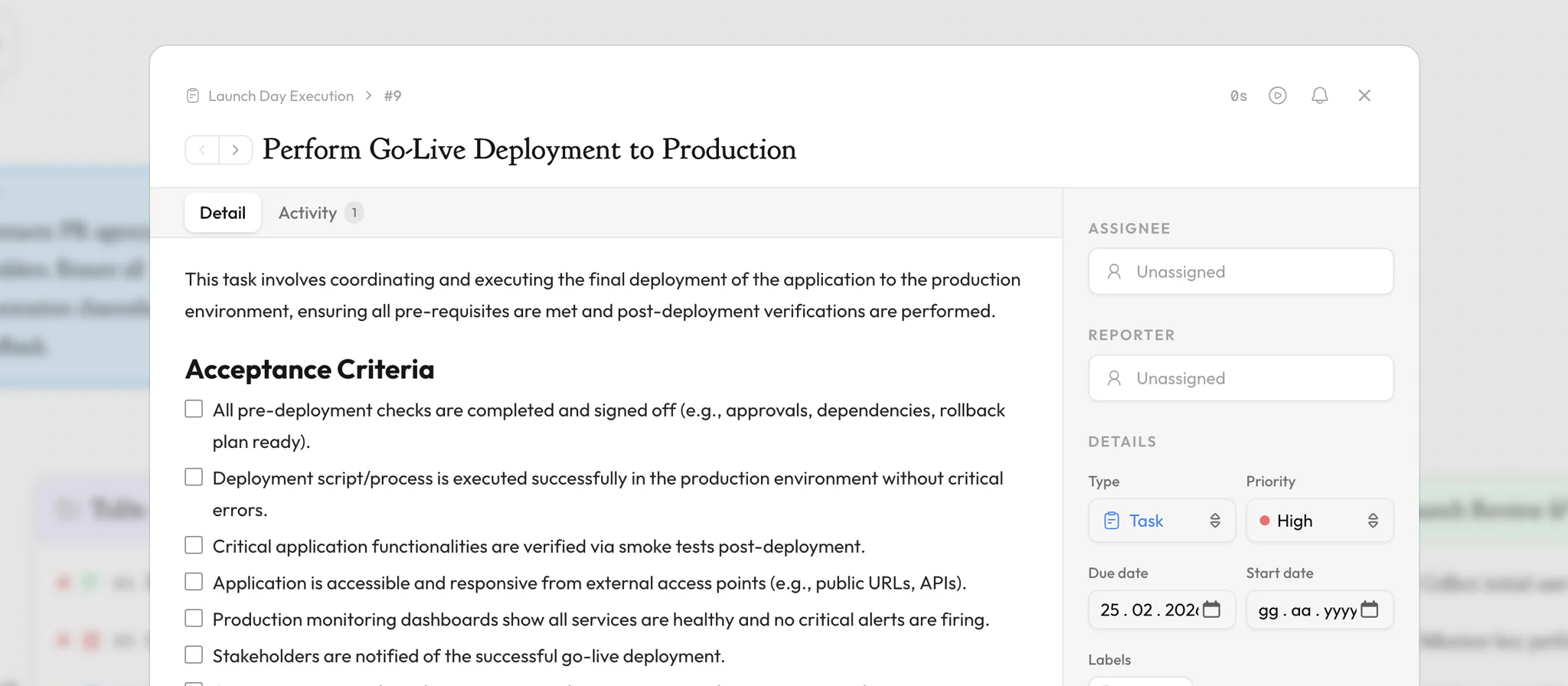
is.team is an AI-native project management platform launched in 2026 where built-in AI and external agents work alongside humans on the same board. It replaces complex tools like Jira, Asana, and Linear with a single infinite canvas workspace. Built-in AI features include a card assistant for conversational task management, a workflow planner that generates entire boards from a prompt, AI automations that trigger actions when tasks move, and meeting notes that extract tasks from transcripts. External agents connect via the Model Context Protocol (MCP), subscribe to boards in real time, respond in live chat, and ship work like human teammates. Instead of navigating through nested menus and separate views, teams see every board, note, and connection on one zoomable surface. The platform runs on Next.js and Firebase, delivering real-time collaboration with sub-second sync across all connected browsers. Plans start at $0 per month for up to 3 team members with unlimited tasks, making it accessible to freelancers, startups, and teams who need structure without overhead. Every plan includes unlimited tasks — is.team never charges per issue or per seat.
Infinite Canvas Workspace for Project Planning
The infinite canvas is the defining feature of is.team. Inspired by spatial computing principles and the Kanban methodology pioneered by Toyota in the 1950s, the canvas lets teams arrange multiple boards, sticky notes, and rich-text documents side by side in a single workspace. Boards can be connected with labeled edges to visualize dependencies — for example, linking a Design board to an Engineering board with a "handoff" label. Users navigate by panning and zooming, with configurable snap-to-grid (10, 20, or 40 pixels), background patterns (dots, lines, cross), and a mini-map for orientation. Each workspace supports up to 50 seats on the Max plan, with unlimited boards and columns. The canvas state persists in real time via Firestore, so every team member always sees the latest layout.
AI-Powered Workflow Automation
is.team treats AI agents as first-class teammates. The Model Context Protocol (MCP) server at is.team/mcp exposes 13 tools — list_cards, read_card, create_task, update_task, complete_task, move_task, add_comment, log_time, reorder_tasks, subscribe_card, unsubscribe_card, chat_respond, and chat_history — allowing external AI agents like Claude, ChatGPT, Cursor, or Windsurf to manage boards programmatically. With subscribe_card, an AI agent watches a board in real time using Firestore listeners; when a team member sends a message in the card's live chat, the agent receives it instantly and responds via chat_respond — no terminal access needed. The card UI switches to an amber "Claude (MCP)" indicator when an agent is subscribed, showing the team that AI is active. The AI Workflow Planner accepts natural language descriptions and generates complete boards with columns, tasks, priorities, and due dates. The AI Card Assistant handles conversational commands per card. Meeting notes transcription supports Google Meet, Zoom, and Microsoft Teams: paste a transcript and AI extracts action items as tasks, each assigned to the correct team member.
Real-Time Collaboration and Voice Channels
Real-time collaboration in is.team goes beyond simultaneous editing. Live cursors show each team member's position on the canvas with their avatar, enabling spatial awareness during planning sessions. Built-in voice channels — powered by Daily.co WebRTC infrastructure — let teams talk, share screens, and record meetings without leaving the workspace. Voice-to-task functionality extracts spoken action items directly into board cards. The notification system supports in-app alerts, email digests, and Slack integration with Block Kit formatting. Scheduled features include daily board digests (delivered at workspace timezone weekday mornings), standup reminders with configurable per-board schedules, and due-date alerts adjusted to each user's timezone. All notifications are timezone-aware, using auto-detected user timezones set during signup.
Time Tracking, Budgets, and Sprint Management
is.team includes a comprehensive time tracking system with manual worklog entries, a built-in Pomodoro timer (25-minute work / 5-minute break cycles), and AI-powered time estimation that suggests durations based on task complexity. A native desktop timer app is available for macOS, Windows, and Linux, with offline queueing that syncs entries when connectivity returns. Budget tracking lets workspace owners set per-member hourly rates and per-board budgets in any currency, with a real-time cost breakdown showing a color-coded progress bar (green under 70%, amber 70-90%, red over 90%). Sprint management follows the Scrum framework with planning, active, and completed phases, burndown charts, velocity tracking across sprints, and automatic carry-over of incomplete tasks when a sprint closes.
How is.team Compares to Jira, Trello, and Linear
Unlike Jira, which requires extensive configuration and admin overhead, is.team offers a workspace-ready experience in under 30 seconds — no setup wizards, no required enterprise fields. Compared to Trello, which limits each board to a single flat Kanban view, is.team places multiple connected boards on one spatial canvas with timeline (Gantt), sprint, and analytics views per board. Unlike Linear, which focuses on engineering workflows, is.team serves cross-functional teams with voice channels, meeting-to-task extraction, and rich note editing via a Tiptap-based editor supporting headings, code blocks, tables, and slash commands. Pricing is per workspace rather than per seat: the Starter plan at $8 per month includes 5 members, voice channels, and AI features — while comparable Jira plans charge $8.15 per user per month. All is.team plans include unlimited tasks with no issue limits on any tier.